Projects
In Camunda Hub, a project contains a set of files. You can consider a project as a bundle of related files you can version and deploy together. You can also consider a project as a container of individual files meant to be versioned and deployed independently.
About
A project can contain:
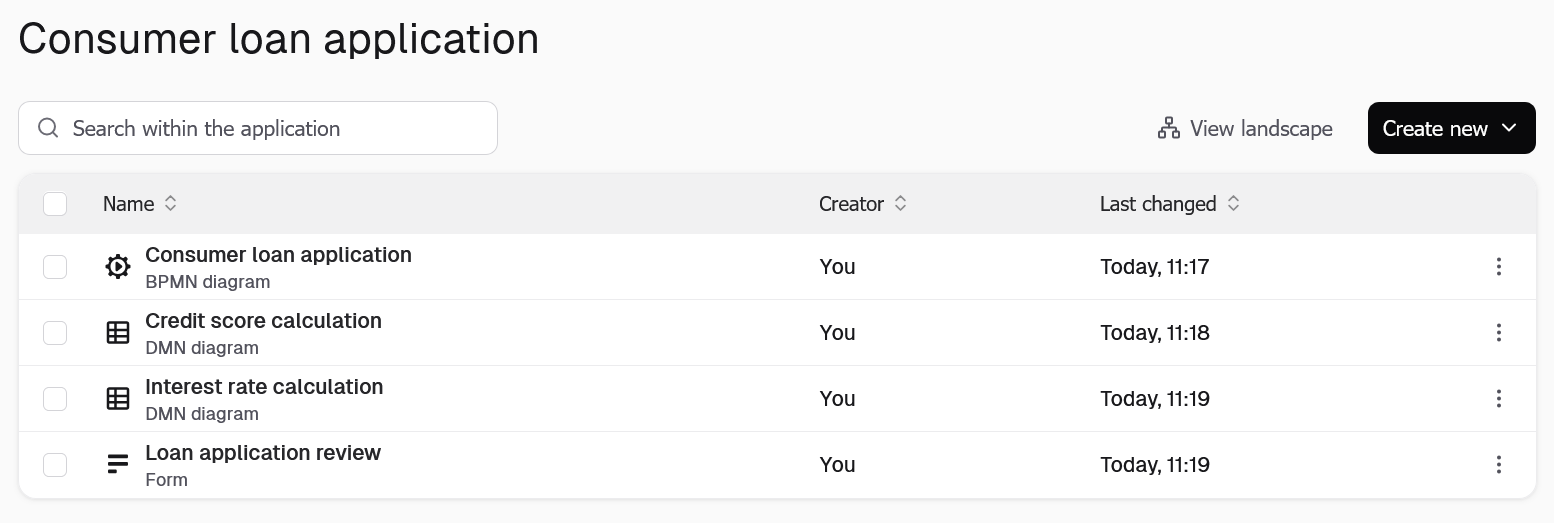
For example, a project for a consumer loan application might consist of a BPMN diagram as an entry point and a number of additional supporting files, such as DMN diagrams and forms.
Project development lifecycle
In Camunda Hub, you can quickly develop project releases through the stages of a typical project development lifecycle:

Set up a new project
Get started by setting up a new project.
Model your first diagram
Design and implement your first diagram using Camunda Hub
Validate your project
Validate your project in development before deploying it to your target environment.
Manage and review project snapshots
Create and review distinct snapshots for the entire project.
Deploy your project
Deploy your project to a testing, staging, or production environment.
Sync your Git repository
Connect Camunda Hub to your Git repositories to keep your projects synced.
For business-critical and higher-risk processes that require strict governance and/or quality requirements, you can integrate Camunda Hub into your CI/CD pipelines.
Known limitations
You should be aware of the following limitations when working with projects.
General limitations
- Self-Managed does not support defining cluster stages, identifying clusters by tags, or cluster promotion.
Deployment limitations
- Projects can only be deployed to a Zeebe cluster in version 8.4.0 or higher.
- The overall size of the deployment bundle is limited due to a maximum record size of 4 MB in Zeebe.
- The limit is effectively between 2 and 3 MB, as Zeebe writes more data to the log stream than just the raw deployment.
- If you exceed the limit, you are shown an error message:
Command 'CREATE' rejected with code 'EXCEEDED_BATCH_RECORD_SIZE'.