Usage history
note
The usage history is visible only to owners and admins for Trial, Enterprise, and Starter organizations.
Three key metrics play a role in paid plans: the number of started process instances, decision instances, and the number of task users. The Usage tab, under the Organization management, provides a usage view for these metrics across the organization.
The section is split into two areas:
Table view, where data from production clusters is displayed aggregated on a monthly basis:
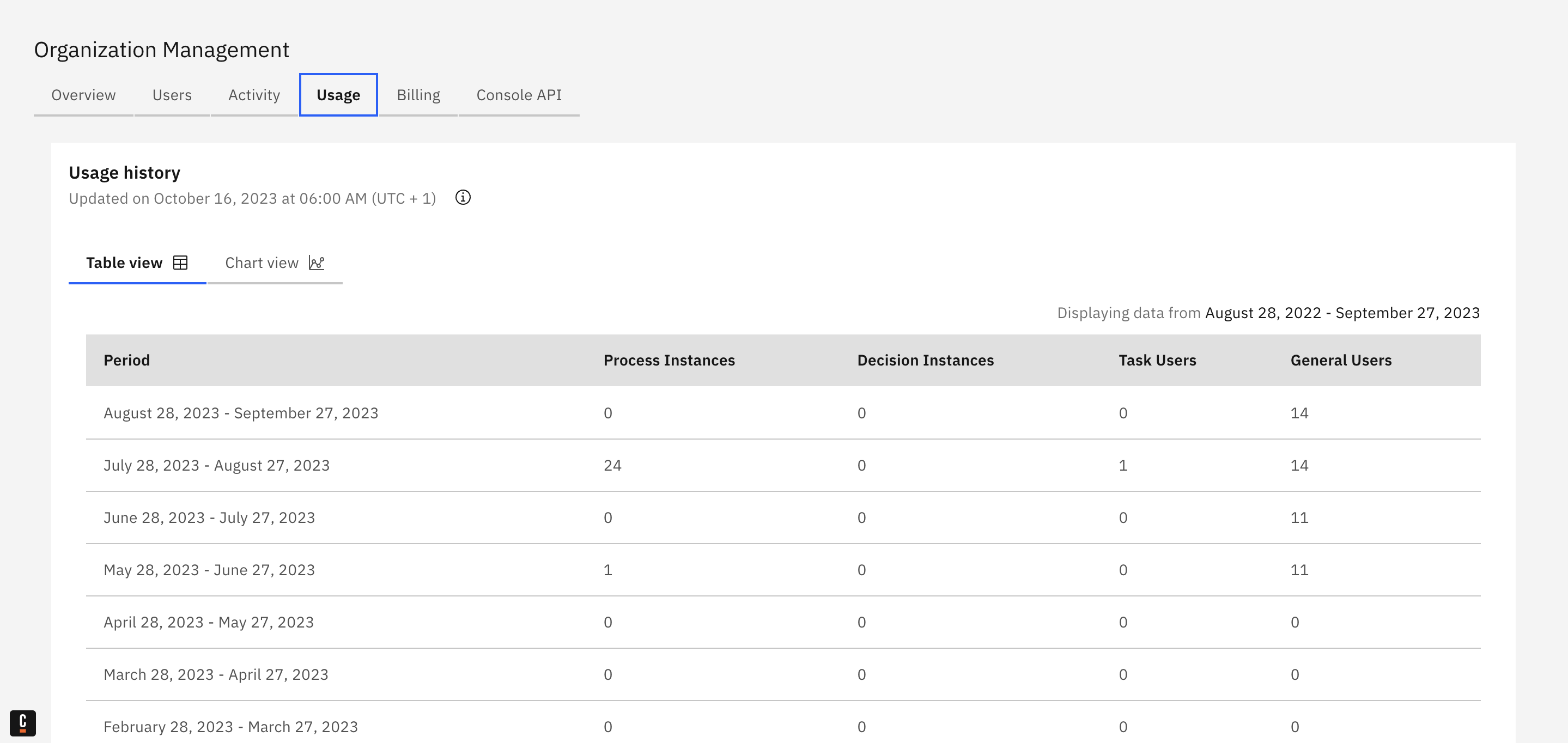
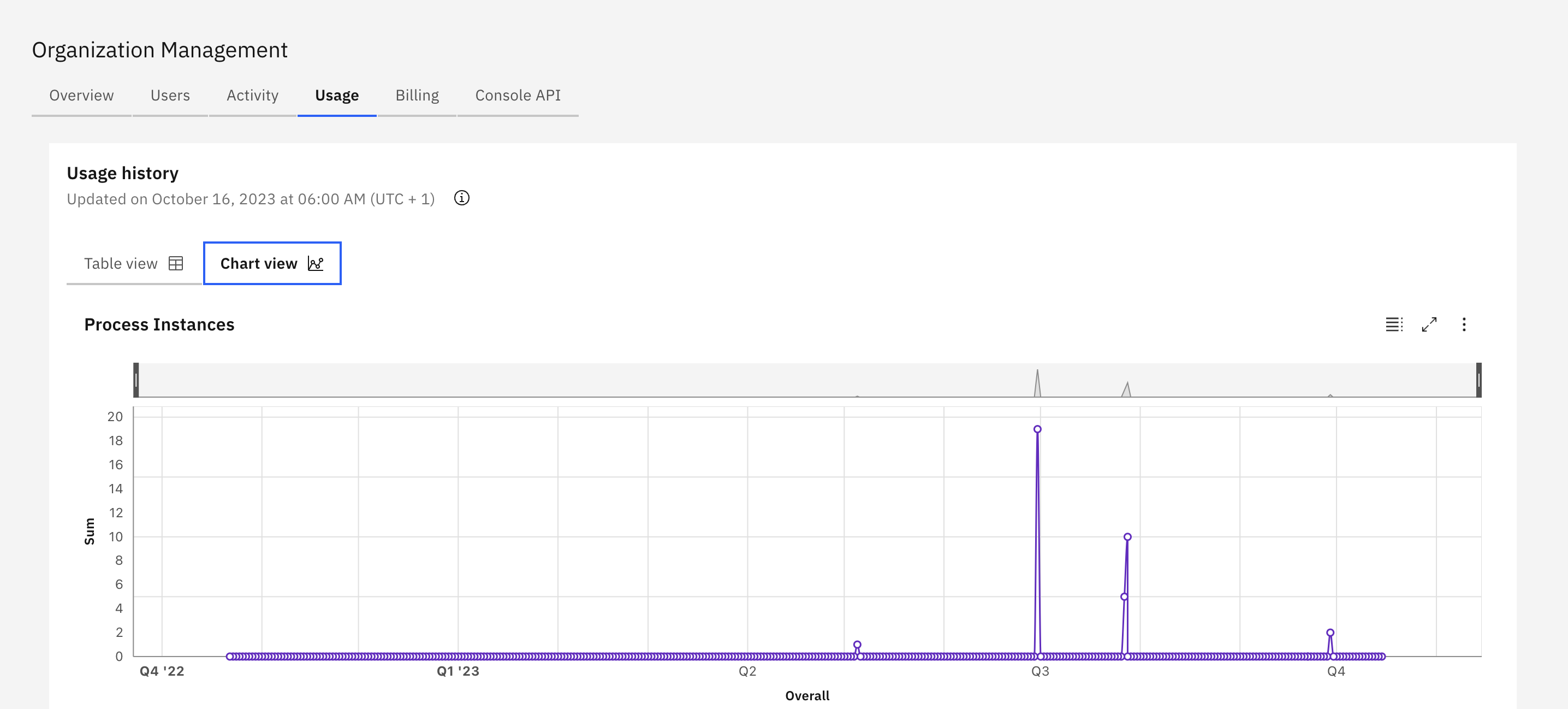
Chart view, where data from production and development clusters is displayed in charts and allows a closer look into usage patterns and spikes by customizing the date ranges.