Alerts
Camunda 8 can notify you when process instances stop with an error.
There are two forms of notification:
- By email to the email address of your user account
- By webhook
Create an alert
To create a new alert, take the following steps:
- Click on your cluster and select the Alerts tab.
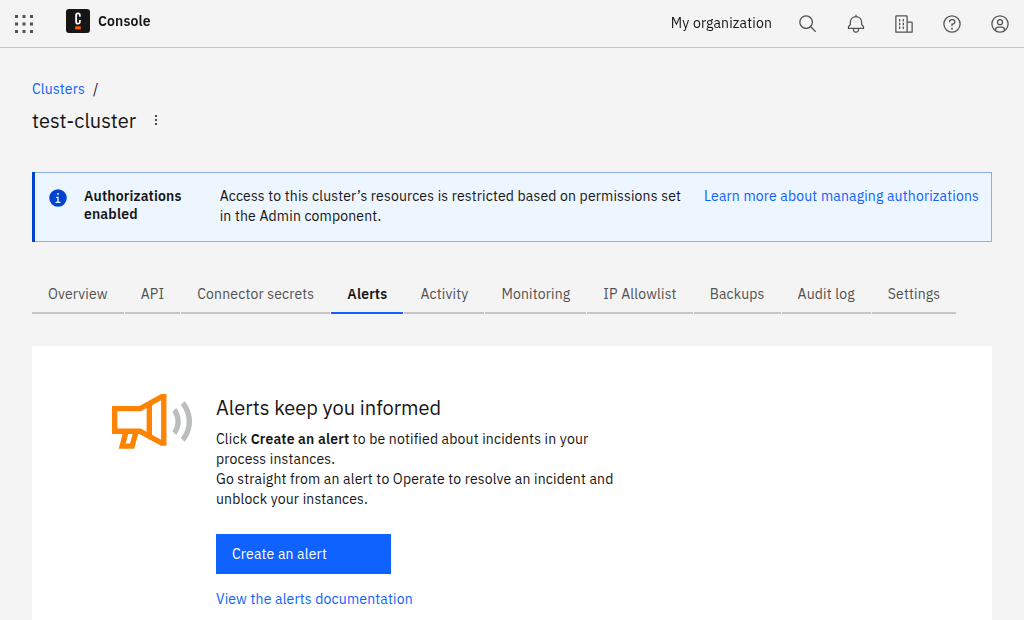
- Click Create an alert.
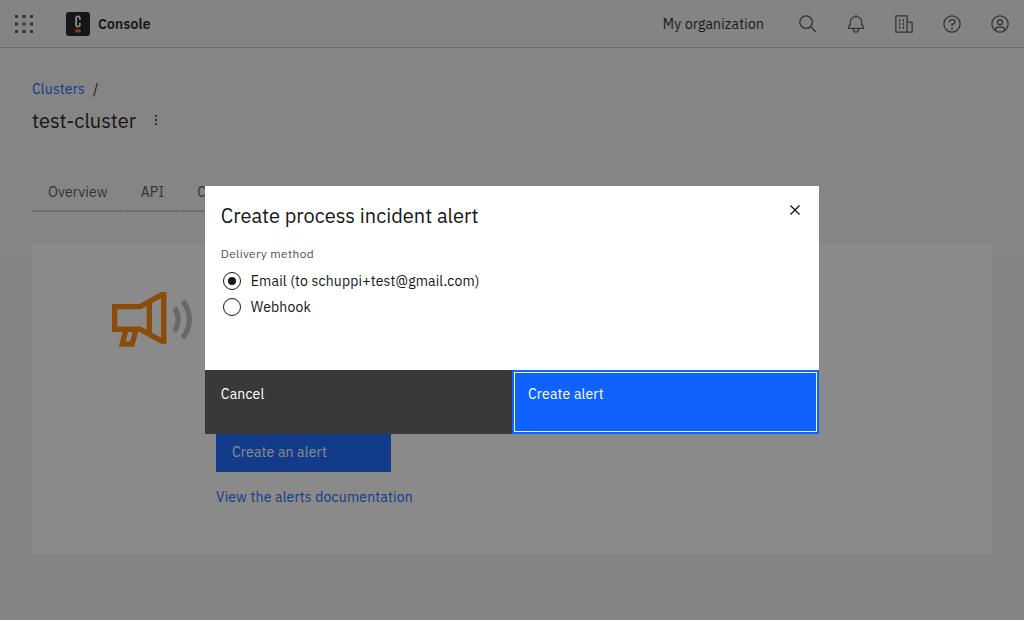
-
Choose between Email and Webhook.
-
If you select Email, click Create. No further information is needed. For Webhook, complete the additional steps below.
-
To create a webhook alert, provide a valid webhook URL that accepts
POSTrequests.
If your webhook requires HMAC authentication, you can specify an HMAC secret. The SHA-256 hash of the request body will then be generated using your HMAC secret, and it is included it in the HTTP header X-Camunda-Signature-256 each time we send out a webhook alert to your endpoint.
You will have one email alert per cluster, but you can create multiple webhook alerts if needed.
Webhook alerts
Webhook alerts contain a JSON body with following structure:
{
  "clusterName": "cluster-name",
  "clusterId": "88d32bfc-4f8e-4dd3-9ae2-adfee281e223",
  "operateBaseUrl": "https://console.camunda.io/org/2b3bc239-ad5b-4eef-80e0-6ef5139ed66a/cluster/88d32bfc-4f8e-4dd3-9ae2-adfee281e223/operate",
  "clusterUrl": "https://console.camunda.io/org/2b3bc239-ad5b-4eef-80e0-6ef5139ed66a/cluster/88d32bfc-4f8e-4dd3-9ae2-adfee281e223",
  "alerts": [
    {
      "operateUrl": "https://console.camunda.io/org/2b3bc239-ad5b-4eef-80e0-6ef5139ed66a/cluster/88d32bfc-4f8e-4dd3-9ae2-adfee281e223/operate/#/instances/2251799829404548",
      "processInstanceId": "1234567890123456",
      "errorMessage": "something went wrong",
      "errorType": "JOB_NO_RETRIES",
      "flowNodeId": "node-id",
      "jobKey": 1234567890123456,
      "creationTime": "2021-07-22T08:00:00.000+0000",
      "processName": "process-name",
      "processVersion": 1,
      "processVersionTag": "versionTag"
    }
  ]
}
The JSON format was changed in 8.8.9. See release announcements for more information and required actions.