Update billing reservations
note
This setting is only visible in the Enterprise plan for owners and admins.
Managing hardware packages
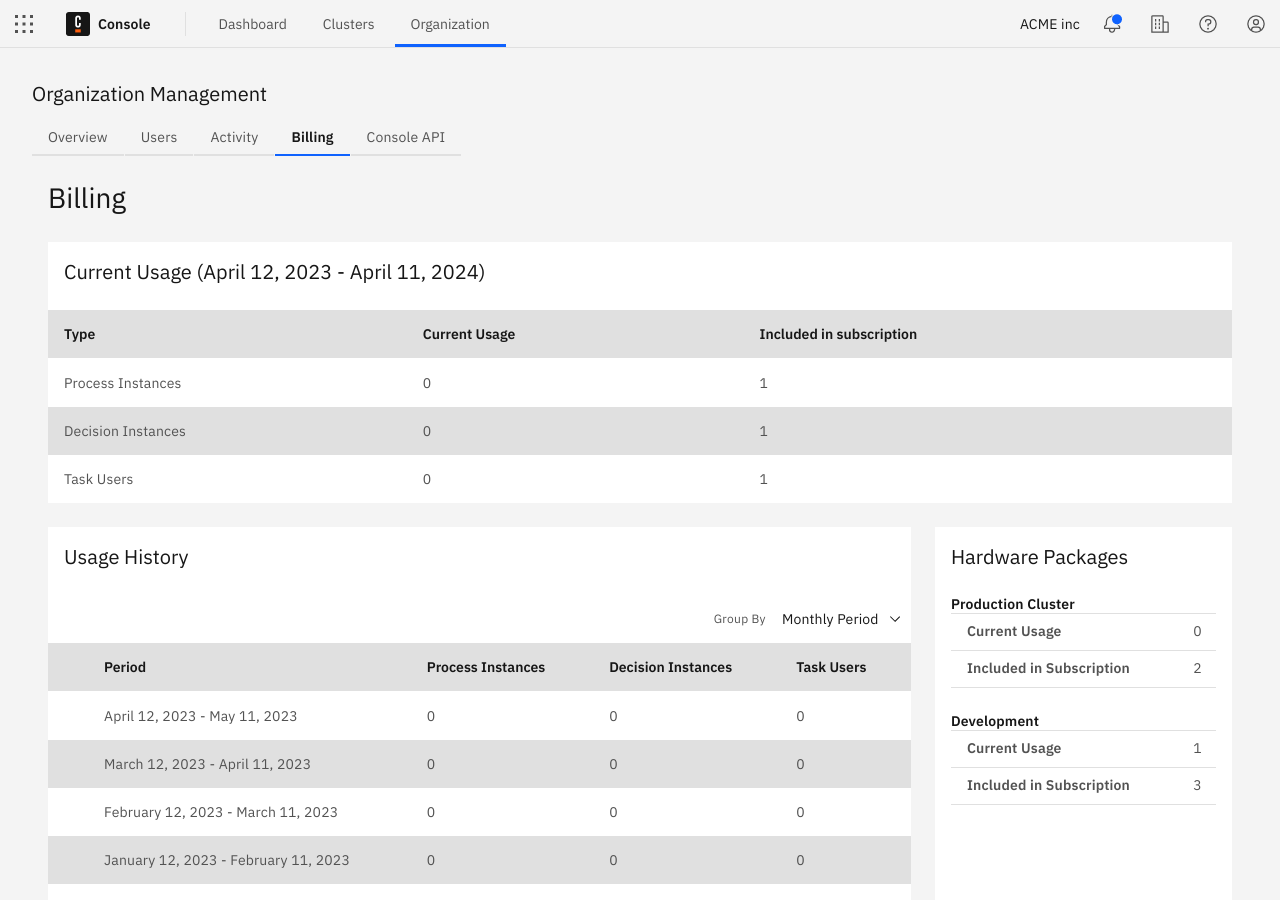
Once signed up for the Enterprise plan, you have access to the Billing page.
- The created process instances from the current period are displayed at the top of the page.
- Find a history of the metrics on a monthly basis at the bottom of the page.
- View how many hardware packages are included on the right side of the page.
Reservations control how many clusters you can deploy. Increasing the number of reservations allows you to deploy more clusters, while decreasing the number of reservations allows you to deploy fewer clusters.
You can access the Billing page by selecting Organization management in the Camunda Console navigation bar.