Amazon Bedrock connector
The Amazon Bedrock connector is an outbound connector that allows you to interact with Amazon Bedrock from your BPMN process.
Prerequisites
To use the Amazon Bedrock connector, you need to have an AWS account with an access key and secret key to
execute InvokeModel or
Converse actions.
The necessary models must be enabled beforehand on the region you are operating from. See more about this in the Amazon Bedrock user guide.
Learn more about Amazon bedrock in the official Bedrock documentation.
Use Camunda secrets to store credentials and avoid exposing sensitive information directly from the process. Refer to managing secrets to learn more.
Create an Amazon Bedrock connector task
You can apply a connector to a task or event via the append menu. For example:
- From the canvas: Select an element and click the Change element icon to change an existing element, or use the append feature to add a new element to the diagram.
- From the properties panel: Navigate to the Template section and click Select.
- From the side palette: Click the Create element icon.
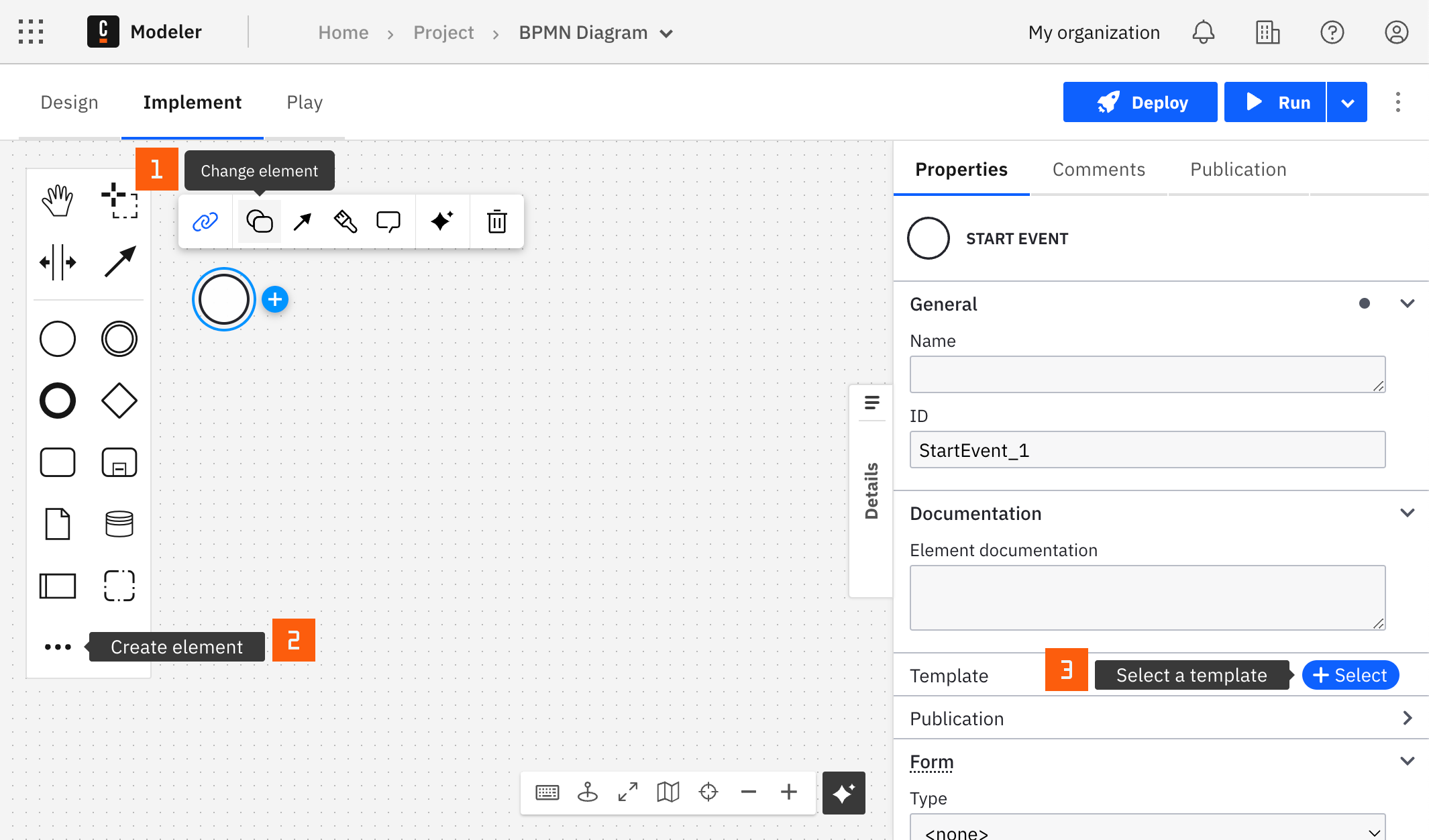
After you have applied a connector to your element, follow the configuration steps or see using connectors to learn more.
Authentication
To authenticate, choose one of the methods from the Authentication dropdown. The supported options are:
- Use Credentials if you have a valid pair of access and secret keys provided by your AWS account administrator. The access key provides permissions to the Amazon Bedrock
InvokeModeland/orConverseactions, as mentioned in the AWS documentation.
This option is applicable for both SaaS and Self-Managed users.
- Use Default Credentials Chain if your system is configured as an implicit authentication mechanism, such as role-based authentication, credentials supplied via environment variables, or files on target host. This approach uses the Default Credential Provider Chain to resolve required credentials.
This option is applicable only for Self-Managed or hybrid distributions.
For more information on authentication and security in Amazon Bedrock, see Amazon Bedrock security and privacy.
Region
In the Region field write the region of the deployed endpoint.
Action
There are two possible actions with the Amazon Bedrock connector: InvokeModel and Converse.
InvokeModel
This action is meant to invoke a model with a raw payload.
A model ID must be specified. Find all the available options for Amazon Bedrock in the model ID documentation.
Ensure the model is available in your region, that your model can invoke the Invoke Model action, and you are a user with adequate rights.
The payload is dependent on the model used, and you can find the different payloads in the model parameters documentation.
- Use Result Variable to store the response in a process variable. For example,
myResultVariable. - Use Result Expression to map fields from the response into process variables.
The response is dependent on the model used, and you can find the different responses in the model parameters documentation.
Example
If using the model Jamba-instruct with model ID ai21.jamba-instruct-v1:0, and looking at the model parameters Jamba documentation, the payload could be as follows:
{
  "messages": [{ "role": "user", "content": "Hello" }],
  "max_tokens": 256,
  "top_p": 0.8,
  "temperature": 0.7
}
The FEEL mapping could be as follows:
{ response : body.choices.message.content[1] }
Converse
This action is meant to start or continue a conversation with a model.
A model ID must be specified. Find all available model IDs for Amazon Bedrock in the model ID documentation.
Ensure the model is available in your region, that your model can invoke the Converse action, and you are a user with adequate rights.
New Messageis either the first message (to start a conversation) or is the next message from an already started conversation.Documentsis a list of documents to include as part of your new message.- To work with documents you must upload them first, using the Orchestration Cluster REST API for example.
- See Amazon Bedrock supported document formats for currently supported file formats.
- The result of the endpoint must then be assigned to a variable in Start Process Instance so you can use the list of these variables in the Documents field.
Message Historyis the history of the conversation that should always be passed. If not set, this will be a new conversation.
- Use Result Variable to store the response in a process variable. For example,
myResultVariable. - Use Result Expression to map fields from the response into process variables.
The Response is a list of consecutive messages of the user and the assistant.
The current implementation supports the assistant's responses only in text format.
Ideally, the message's history must transit within the process and be the input of this Converse task with the new message.
Starting from version 8.7.0, the Amazon Bedrock connector supports consuming documents as inputs for conversations. Review the Document field in the properties panel where the document reference can be provided. See additional details and limitations in document handling.