Projects
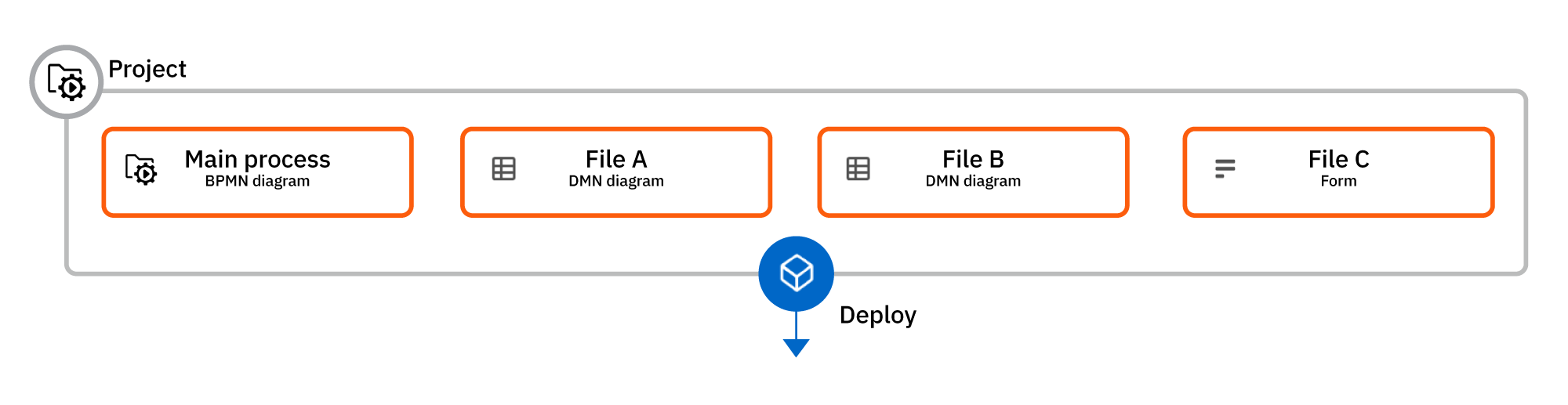
A project contains a collection of process resources, such as an entry point process, supporting processes, DMN decisions, or forms, that often represent an end-to-end use case.
Example
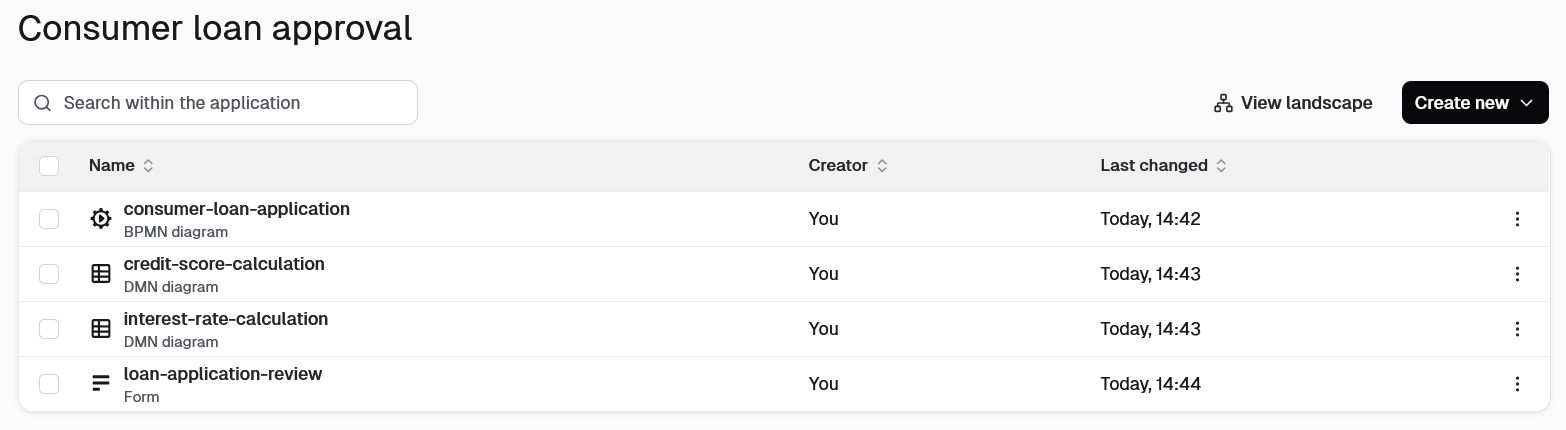
A consumer loan approval project might bundle:
- A BPMN process as an entry point to define the workflow:
consumer-loan-application.bpmn - DMN decision tables for business rules:
interest-rate-calculation.dmnandcredit-score-calculation.dmn - A form for user interactions:
loan-application-review.form
Using projects
You can use projects in both Camunda Hub and Desktop Modeler. However, there are some differences.
Projects in Camunda Hub
In Camunda Hub, workspaces contain projects, and projects contain files. Every file must be stored within a project:
Camunda Hub
└─ Workspace
    ├─ Project A
    │   ├─ BPMN
    │   └─ DMN
    └─ Project B
        ├─ BPMN
        ├─ Folder
        └─ Form
You can treat files in a project as a single bundle or as independent resources. For example, you can:
- Take a snapshot of the current state of all project files.
- Manage individual file versions.
- Deploy an entire project to an environment assigned to its workspace.
- Deploy individual project resources.
Process applications in Desktop Modeler
The equivalent of a Camunda Hub project in Desktop Modeler is a process application. Storing process resource files in a process application is optional:
Desktop Modeler
├─ BPMN
├─ DMN
└─ Process Application
    ├─ .process-application
    ├─ BPMN
    ├─ Folder
    └─ Form
A process application is recognized by the existence of a .process-application file. If you're using both Camunda Hub and Desktop Modeler, your process application must contain this manifest file, even though it's ignored by Camunda Hub.
Unlike in Camunda Hub, all process application resources are always deployed together in Desktop Modeler.
Next steps
Read more about how to use projects in Camunda Hub and Desktop Modeler: