Agent tool documentation
Tools within an AI Agent sub-process require a documentation entry, which the AI agent uses to select tools.
Missing documentation does not cause an outright failure, but an undocumented tool might degrade the AI agent's performance. To fix this, select the tool's entry element, open the Documentation section in the properties panel, and describe what the tool does and when the agent should use it.
The rule checks the tool's entry element, the activity with no incoming sequence flow. Activities reached through a sequence flow are part of the tool's internal flow and do not require their own documentation. Event sub-processes are also skipped because they are triggered by events rather than called by the agent:
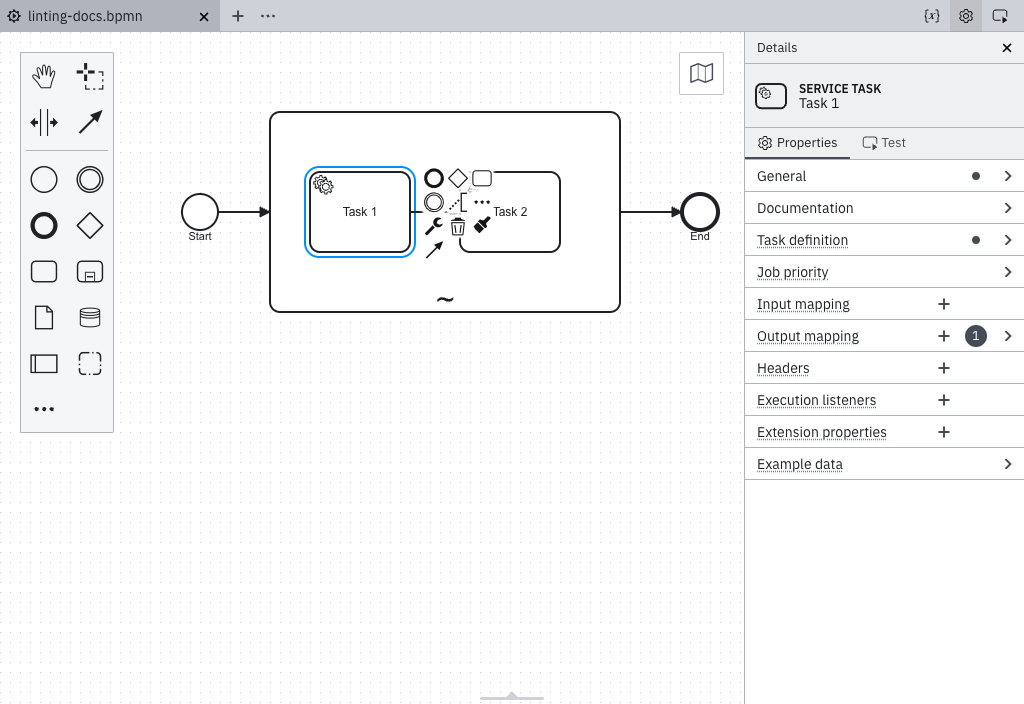
No documentation
The tool's entry activity has no documentation text or contains only whitespace. The agent sees only the element name (for example, Fetch URL) and must guess what the tool does, which inputs matter, and when to use it.
Documentation provided
The tool's entry activity has a documentation entry such as:
Fetches the contents of a web page. Use this when the user provides or asks about a URL. Returns the raw response body.
A good tool description covers three things: what the tool does, when the agent should use it, and what it returns.
Declare a sub-process as agentic
This rule applies only within an ad-hoc sub-process recognized as a tool container. An ad-hoc sub-process is recognized as a tool container in any of the following ways:
- Its
zeebe:modelerTemplateattribute is set toio.camunda.connectors.agenticai.aiagent.jobworker.v1, which identifies the AI Agent Sub-Process template. Any version of this template is supported. - It has a
zeebe:propertynamedio.camunda.agenticai.toolContainerwith the valuetrue, regardless of whether its tools are invoked by an AI Agent Task in the same process or in a separate process. This property is the supported long-term approach. - Its
zeebe:taskDefinitiontype starts withio.camunda.agenticai:aiagent-job-worker:, which is the type assigned by the AI Agent Sub-Process template. This covers custom element templates that use a differentzeebe:modelerTemplateID but assign the same type, such as an agent template published within your organization.
Every Camunda-provided AI Agent Sub-process element template, legacy and new, sets the io.camunda.agenticai.toolContainer property.
Templates declare it as a hidden property, so it never appears as a control in the properties panel.
The AI Agent Task element templates don't set the property, because the tools ad-hoc sub-process of an AI Agent Task is a separate element without an element template. When you use an AI Agent Task, add the property to the tools sub-process manually.
An element template writes its properties into the diagram only when you apply it, so an ad-hoc sub-process you modeled before the property was added keeps its original XML. Existing processes need to be updated.
Update an existing process
While an element template is applied, the properties panel shows only the sections the template defines, and the Extension properties section isn't available.
If a newer version of the template is available, update the ad-hoc sub-process to that version. Updating writes io.camunda.agenticai.toolContainer into the diagram.
If no newer version is available, unlink and reapply the template instead:
- Select the ad-hoc sub-process and unlink the element template. Unlinking keeps the properties you already configured.
- Apply the same element template again. Reapplying writes
io.camunda.agenticai.toolContainerinto the diagram.
If the ad-hoc sub-process has no element template applied, add the property manually. Select the sub-process, open the Extension properties section in the properties panel, and add a property named io.camunda.agenticai.toolContainer with the value true:
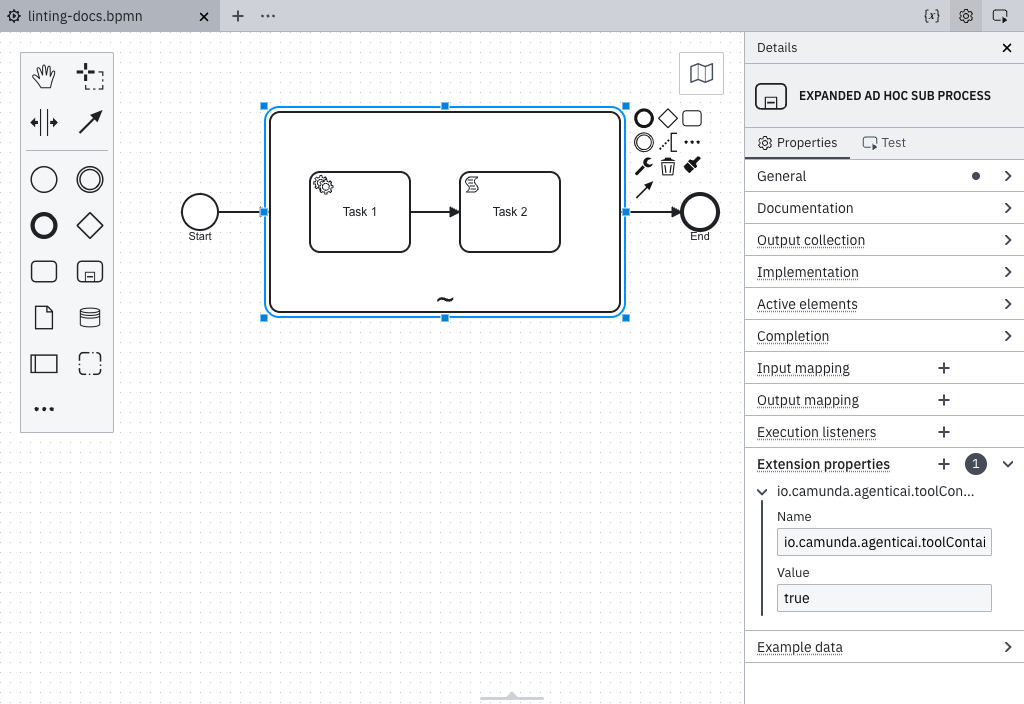
In the XML, the property appears as follows:
<bpmn:adHocSubProcess id="Tools">
  <bpmn:extensionElements>
    <zeebe:properties>
      <zeebe:property name="io.camunda.agenticai.toolContainer" value="true" />
    </zeebe:properties>
  </bpmn:extensionElements>
</bpmn:adHocSubProcess>