Connector secrets
Create secrets and reference them in your connectors without exposing sensitive information in your BPMN processes.
Connector secrets are managed at the cluster level, so ensure you deploy your processes to the cluster that contains the necessary secrets. If you deploy and the secret is missing, Operate will show an incident.
To create a new secret, go to your cluster and take the following steps:
- Select the Connector secrets tab.
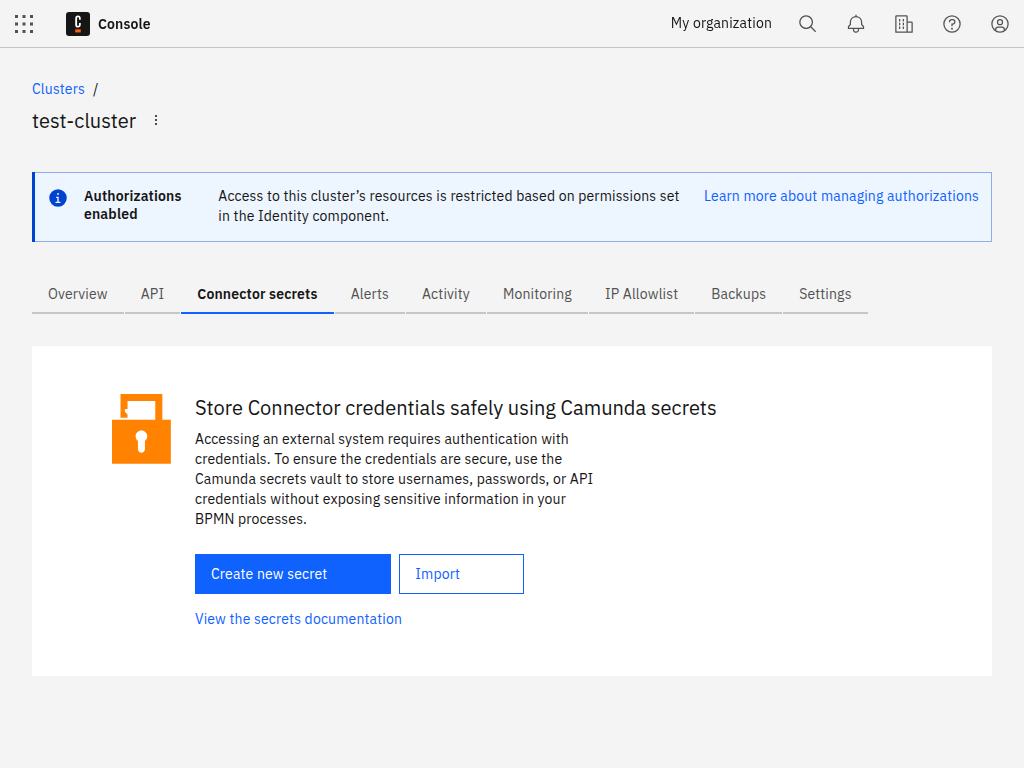
- Click Create new secret.
- Provide a Key for your secret that you will use to reference your secret from your connector.
- Provide the Secret that will be assigned to the Key.
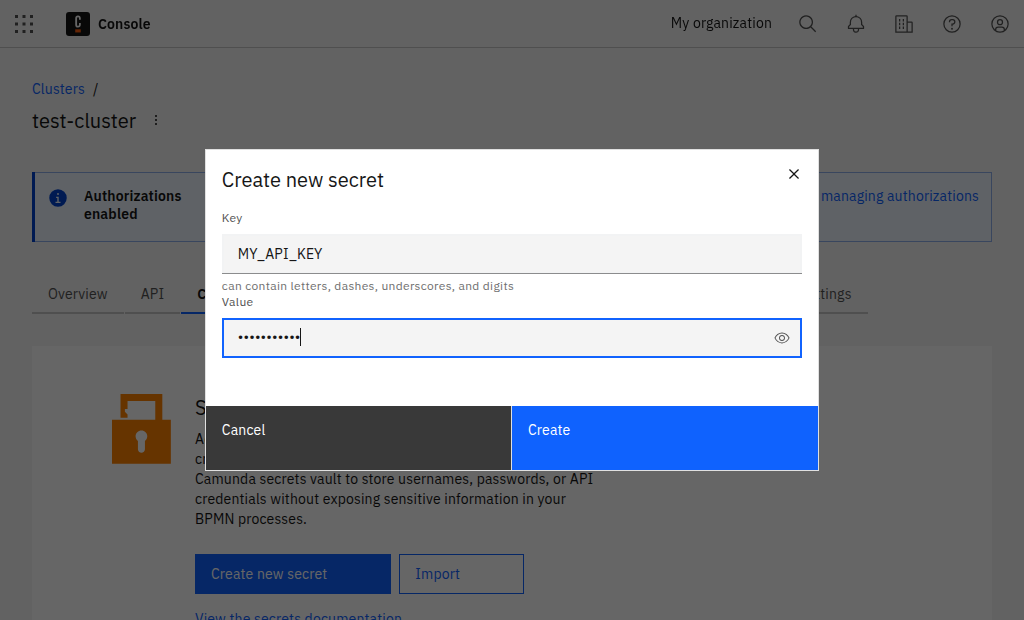
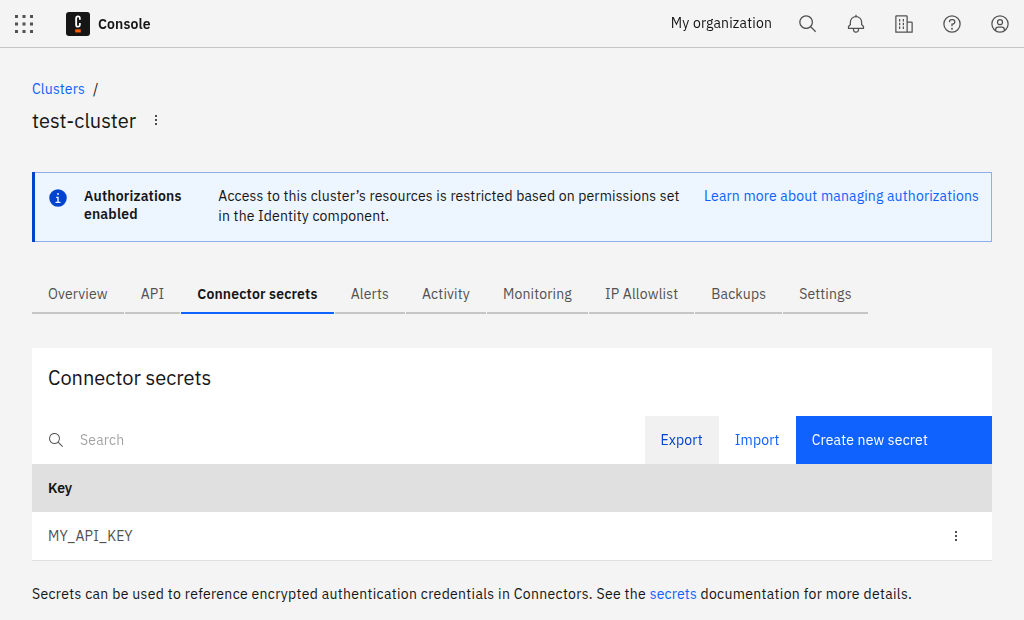
- Click Create and view your new secret in the list.
Use secrets in a workflow
Secrets are used inside connector tasks in your BPMN model. Add a connector task, then reference the secret key in a field that supports secrets.
Example for a plain text field (for example, an authorization header value):
Bearer {{secrets.MY_API_KEY}}
Example for a FEEL expression (note the double quotes around the placeholder):
= { myHeader: "{{secrets.MY_API_KEY}}" }
For more details on where secrets are supported, see the Connectors guide.
Now you can reference your secret in any connector as described in the Connectors guide.
Find more information on managing Connector secrets.