Hugging Face connector
The Hugging Face connector is an outbound connector that allows you to interact with Hugging Face models from your BPMN processes.
Prerequisites
To begin using the Hugging Face connector, you need to have a valid API key, and a model available through Hugging Face Inference Providers.
Create a Hugging Face connector task
You can apply a connector to a task or event via the append menu. For example:
- From the canvas: Select an element and click the Change element icon to change an existing element, or use the append feature to add a new element to the diagram.
- From the properties panel: Navigate to the Template section and click Select.
- From the side palette: Click the Create element icon.
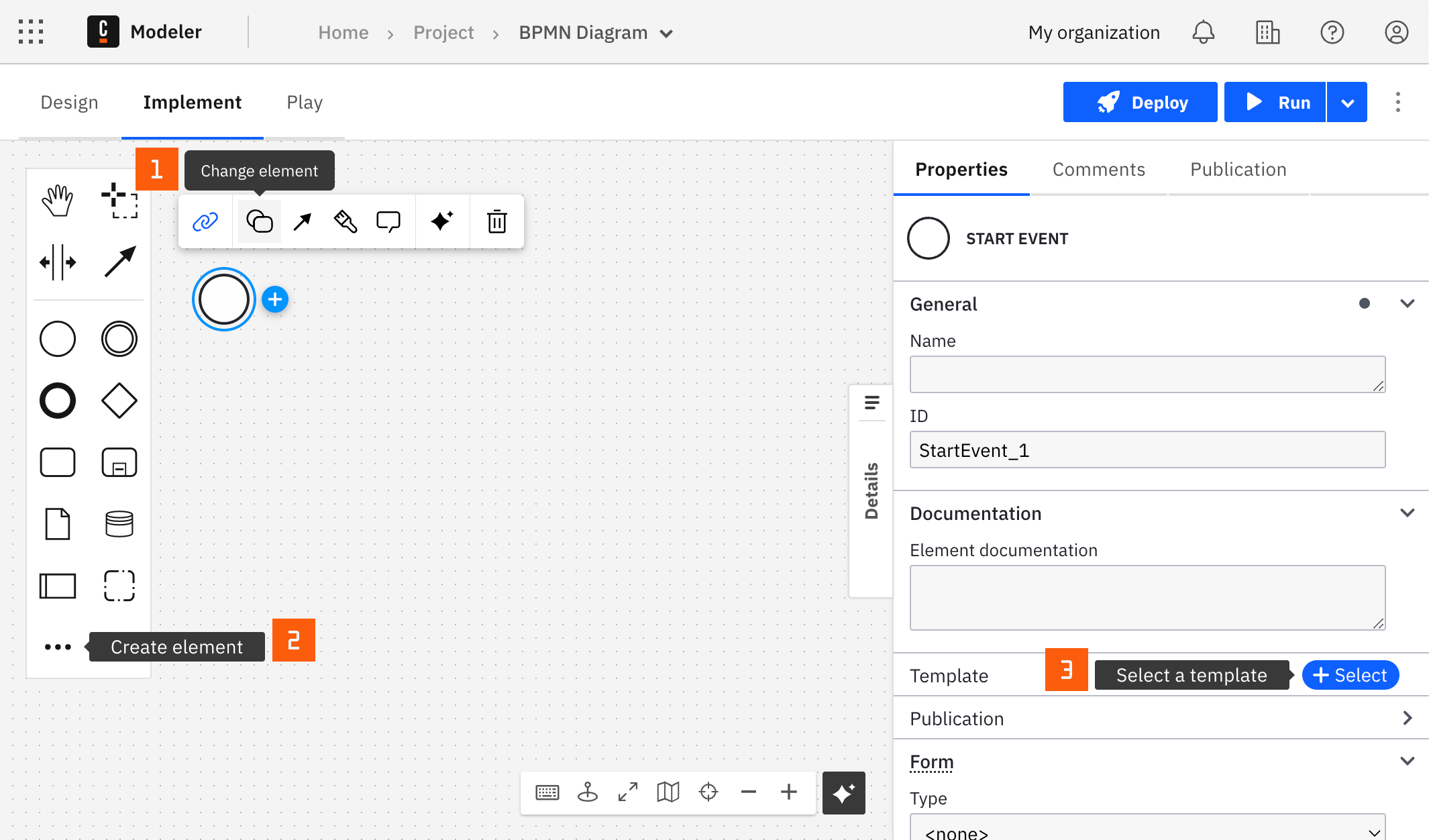
After you have applied a connector to your element, follow the configuration steps or see using connectors to learn more.
Make your Hugging Face connector executable
To work with the Hugging Face connector, fill all mandatory fields.
Authentication
Fill the Hugging Face API key field with a valid Hugging Face API key.
Create a new connector secret
Keep your API key safe and avoid exposing it in the BPMN xml file by creating a secret:
- Follow our guide for creating secrets.
- Name your secret (for example,
HUGGING_FACE_SECRET) so you can reference it later in the connector.
Payload
The connector sends a chat completion request to the Hugging Face router endpoint https://router.huggingface.co/v1/chat/completions.
| Field | Description |
|---|---|
| Model ID | The full model repository ID, for example, meta-llama/Llama-3.2-3B-Instruct. Browse models on Hugging Face. |
| Messages | A FEEL expression that returns the chat messages array, in the format [{"role": "user", "content": "Your message"}]. Use the system role for instructions and the user role for queries. |
Handle connector response
The Hugging Face connector is a protocol connector, meaning it is built on top of the HTTP REST connector. Therefore, handling response is still applicable as described.
Usage example
Let's assume you want to summarize a text with the meta-llama/Llama-3.2-3B-Instruct model, and you created the HUGGING_FACE_SECRET secret containing your Hugging Face API key.
Consider the following input:
- Hugging Face API key:
{{secrets.HUGGING_FACE_SECRET}} - Model ID:
meta-llama/Llama-3.2-3B-Instruct - Messages, where
inputTextis a process variable that holds the text to summarize:
=[
  {"role": "system", "content": "Summarize the text in one sentence."},
  {"role": "user", "content": inputText}
]
- Result variable:
myHuggingFaceResponse
The connector stores the whole HTTP response in myHuggingFaceResponse. To store only the generated text, use the following Result expression:
={summary: response.body.choices[1].message.content}